SharePoint 2010 and onwards has the excellent feature of being able to tag content with customizable metadata. This great for using the refining options that are built into the framework. For whatever reason however, Microsoft does not display this metadata in the actual results, so if you want too refine the search results by tag/metadata, it is really just a matter of guesswork.
Fortunately, there is a solution that is pretty easy to plug in which resolves this problem, provided you do not mind getting your hands dirty with a little XSL / XSLT.
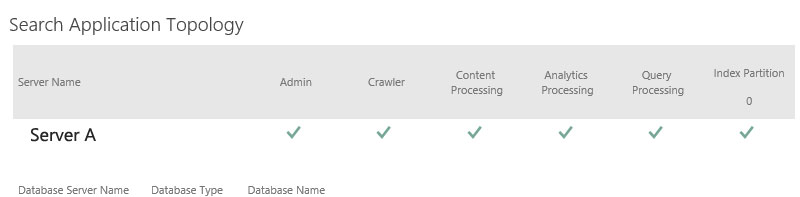
The first thing you are going to need to do is identify the “Mapped To Property” that you want to display results for in the search results. This will begin with “ows_taxId_” in the “Search Schema” section for your Search Application (in Central Admin).
My metadata is just called “Tags”, so the “Mapped to Property” is “owstaxidtags”. The critical piece is that you remember this.

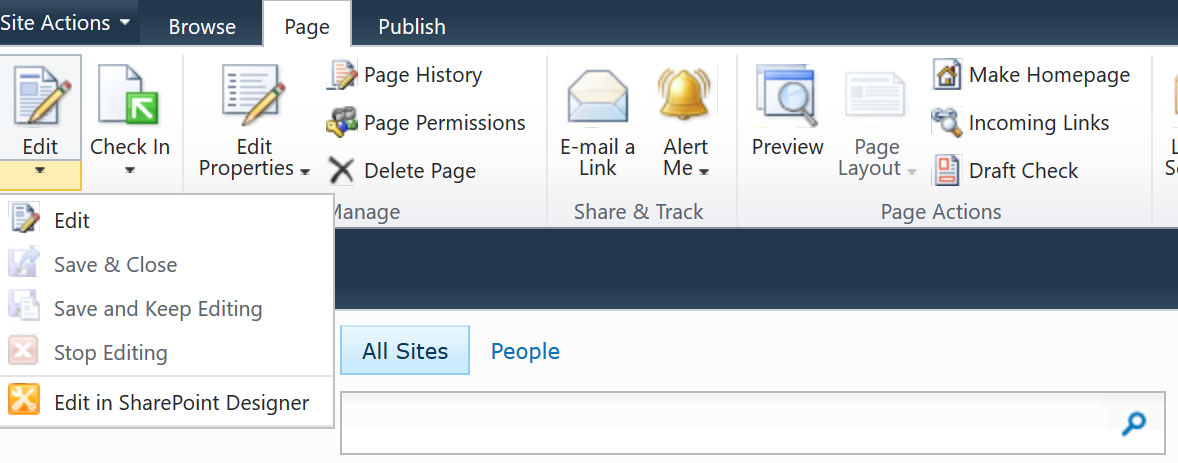
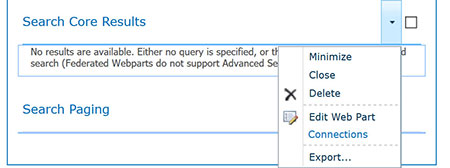
Next up, navigate to your search results page you want to show the tags on. Click the “Page” tab, and then edit the page. Scroll down to the “Search Core Results” web part, and click “Edit Web Part”.

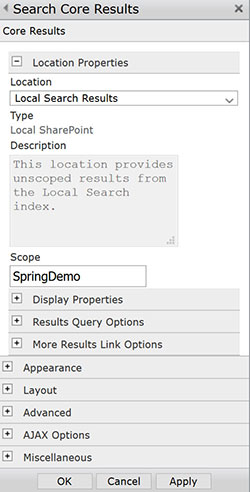
From here, there are two text areas you are going to need to edit. I STRONGLY RECOMMEND MAKING A BACKUP OF EACH OF THESE BEFORE YOU START EDITING. Open the “Display Properties”.

The first thing you will do is add a reference to the property for the “Fetched Properties”. To do so add the following before “</Columns>”
<Column Name="owstaxidtags"/>
Next, you will need to update the XSL for the search core results. Click the button that says “XSL Editor…” Copy this text and paste it into a more user friendly editor like Notepad++
There area few areas you will need to make edits for. First is to set up a parameter for the property. Find the area at the beginning where there are a bunch of “param name” declarations, and add one for your property:
<xsl:param name="IsSearchServer" />
<xsl:param name="Period" />
<xsl:param name="SearchHelp" />
<xsl:param name="owstaxidtags" />
<xsl:param name="Date" />
<xsl:param name="Size" />
<xsl:param name="ViewInBrowser" />
Next, scroll down until you find the “<xsl:template match=”Result”>” area. Add a local variable for your property:
<xsl:variable name="id" select="id"/>
<xsl:variable name="currentId" select="concat($IdPrefix,$id)"/>
<xsl:variable name="url" select="url"/>
<xsl:variable name="owstaxidtags" select="$owstaxidtags"/>
Next you need to find the area you want to output the tags. For my purposes, I am going to put it in “<div class=”srch-Metadata2″>”. You can use the developer tools in your browser to locate the div name that you want to render the text to.
So right underneath the “DisplayDate”, I am going to just make the metadata tags an extra piece of content to display. Here I am adding two things. First the label, if it sees that there are any tags, and the second is a reference to the display template, which formats the metadata tags:
<div class="srch-Metadata2">
<xsl:call-template name="DisplayDate">
<xsl:with-param name="write" select="write" />
</xsl:call-template>
<xsl:if test="string-length(owstaxidtags) > 0">
<xsl:text> Tags: </xsl:text>
</xsl:if>
<xsl:call-template name="FormatMetadata">
<xsl:with-param name="owstaxidtags" select="owstaxidtags" />
</xsl:call-template>
Then all that is left of the XSL is to add in the display template. Your mileage may vary on this. Depending on how SharePoint outputs your tags, you may need to modify these if statements until you get the desired formatting. Scroll down until you get the area with the other display templates (example: <xsl:template name=”DisplayDate”>)
Then add in the display template:
<xsl:template name="FormatMetadata">
    <xsl:param name="owstaxidtags"/>
    <xsl:if test="string-length($owstaxidtags) > 0">
         <xsl:variable name="nextItem" select= "substring-before(concat($owstaxidtags, '|'), '|')"/>
         <xsl:variable name="remaining" select= "substring-after(concat($owstaxidtags, '|'), '|')"/>
         <xsl:if test="(not(contains($nextItem, '#'))) and (contains($nextItem, ';'))">
             <xsl:variable name="validItem" select= "substring-before(concat($nextItem, ';'), ';')"/>
             <xsl:value-of select="$validItem"/>
             <xsl:if test="contains($remaining, ';')">
                 <xsl:text>, </xsl:text>
             </xsl:if>
        </xsl:if>
        <xsl:if test="(not(contains($nextItem, '#'))) and (not(contains($nextItem, 'GP0'))) and (not(contains($nextItem, ';')))">
            <xsl:value-of select="$nextItem"/>
        </xsl:if>
        <xsl:call-template name="FormatMetadata">
            <xsl:with-param name="owstaxidtags" select="substring-after($owstaxidtags, '|')"/>
        </xsl:call-template>
    </xsl:if>
</xsl:template>
Once you have made all your edits (be sure to keep that backup handy), paste the new edited XSL changes into the “XSL Editor” for the web part, and click “OK”. If you get an error, recheck your steps. If you are not seeing what you expect, you can always output just the raw metadata tag info without using the template by calling it directly in your template:
<xsl:value-of select="$owstaxidtags" />
So that’s it! You should now be seeing your metadata tags in your search results.